

Piping and Instrumentation Diagrams (P&IDs) are schematic diagrams that help process engineers understand the arrangement of piping, instrumentation, equipment, and control
systems within plants and industries like oil and gas, chemical manufacturing, power generation, and water treatment. They serve as comprehensive blueprints for process flow and help design, optimize, and oversee complex operations.
Despite their need and importance, it is not easy to create them, thanks to the technical details involved. That’s why many professionals use specialized P&ID software to simplify the process and build accurate and detailed technical diagrams with ease.
|Also Read: What is a Piping and Instrumentation Diagram (P&ID), and How Is It Created?|
Here’s a list of some of the best P&ID tools and software available, each with its own strengths tailored to different engineering environments. Use them to solve key challenges while creating piping and instrumentation diagrams:
1. AutoCAD P&ID
Source: Autodesk
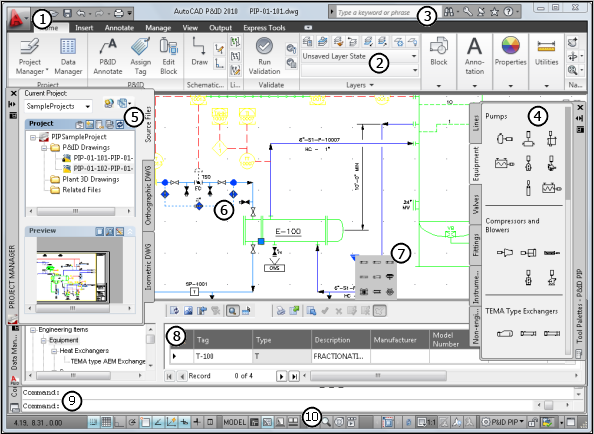
Autodesk’s AutoCAD P&ID has long been a staple in engineering design environments. Built on the robust and most sought-after AutoCAD platform, it comes with intuitive drafting tools and specialized P&ID features, minus the learning curve. This makes AutoCAD extremely popular among P&ID designers.
Some of the key features include:
- User-friendly interface
- Predefined symbol libraries
- Automated error checking feature that helps to eliminate inconsistencies in tag assignments or line numbering.
- Seamless integration with 3D plant model
However, when compared to more modern SaaS-based platforms, AutoCAD P&ID isn’t as ideal for collaborative cloud-based workflows. It demands high system resources, and subscription prices may be high for small teams.
Still, its reliability and compatibility with existing Autodesk ecosystems keep it among the top choices for many engineering teams.
Pricing:
- Full AutoCAD subscription costs $2,095 per year or $260 per month.
- You need a full AutoCAD subscription to access Plant 3D.
2. EdrawMax
Source: Edraw
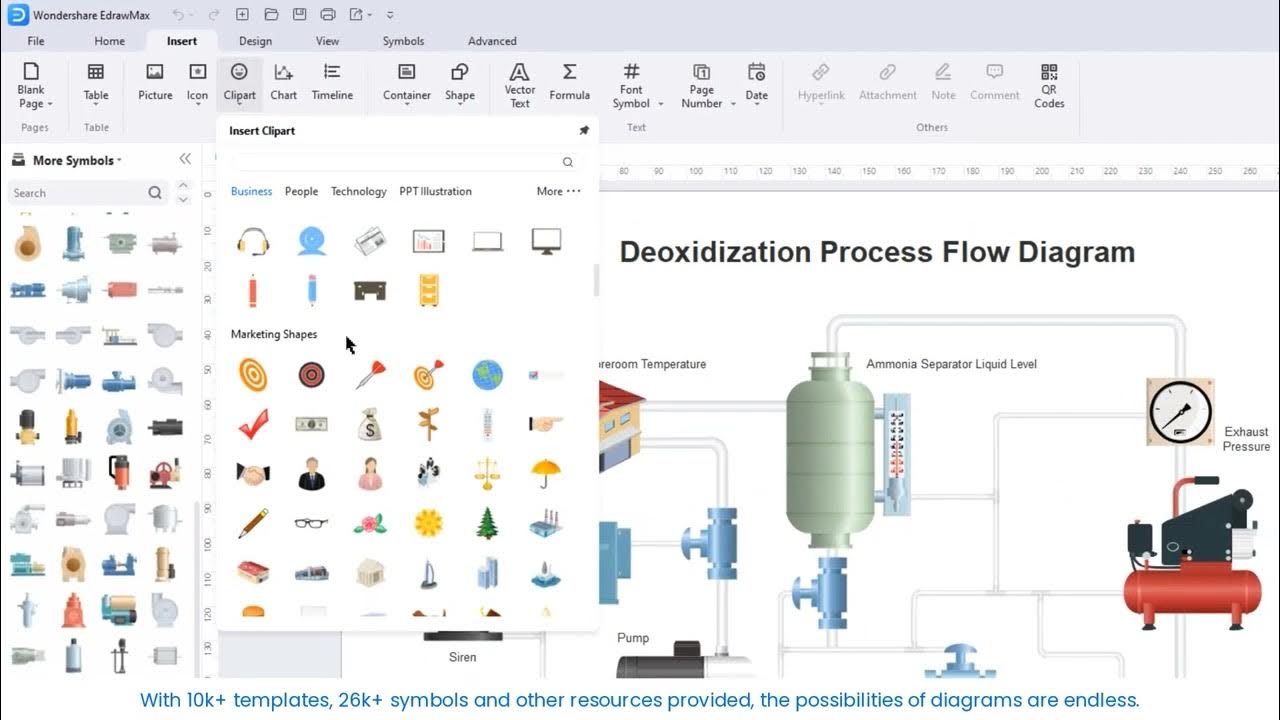
EdrawMax is a powerful drawing tool that can be used by both beginners and professionals. It’s used to design flowcharts, graphs, mind maps, and of course, P&ID diagrams. What makes EdrawMax really helpful is that it comes with ready-made templates, so you can simply pick a layout, drag and drop elements, and finish your diagram quickly.
It also works well across different systems—Windows, Mac, Linux, and online through your browser. You can also save your work to cloud storage and share it with others easily.
Main Features:
- Lots of built-in templates
- Works on different devices
- Can export to many file types
- Cloud storage support
- Easy to learn
Pricing:
- Free Online Version
- $99/year or $245 for lifetime use
If you want a simple, flexible, and affordable tool, EdrawMax is a solid choice.
3. Lucidchart

Source: Lucidchart
Though not a traditional engineering design tool, Lucidchart deserves a mention for its lightweight, browser-based approach. It’s not designed for heavy industrial use, but for quick sketches, training diagrams, or collaborative planning sessions, as it is easy to use and quick to access.
Its drag-and-drop interface, built-in shape libraries, and real-time team collaboration features make it a favorite for cross-functional teams or education-focused environments where a full-blown CAD tool isn’t necessary.
Main Features:
- Web-based tool, no installation needed
- Simple interface
- Easy sharing and teamwork
- Basic templates included
Pricing:
- Offers a free trial pack with limited features
- Individual plan starts at $9/month when billed annually
- Team plan starts as low as $10/user
If you’re looking for a lightweight tool with a focus on teamwork, Lucidchart is a good option. But it may not be as powerful for complex P&ID designs as some other tools.
4. SmartDraw

Source: SmartDraw
SmartDraw is well known P&ID software that is used for making professional diagrams. It’s packed with features and comes with more than 300 high-quality Reichard symbols from major HMI/SCADA manufacturers. With professional symbols for motors, flow meters, pumps, pipes, tanks, valves, sensors, and more, it is built for your custom piping and instrumentation diagrams. There are templates to help you get started, and it supports cloud storage too.
Main Features:
- CAD-like tools
- Many templates and symbols
- Can be used in web browsers
- Offers easy collaboration
- Supports cloud storage
- Great for technical teams
Pricing:
- Individual: $9.95 per month, billed annually
- Team: $8.25 per user, per month, billed annually (3 user minimum)
SmartDraw is great for professionals who work on Windows and want strong features without needing CAD experience.
5. SmartPlant P&ID (Hexagon PPM)

Source: Hexagon
Now part of the Hexagon portfolio, SmartPlant P&ID brings a sophisticated rule-based design engine that actively enforces design integrity as you draw. That means fewer surprises during commissioning and smoother project handovers.
It links directly with other tools in the SmartPlant suite and ensures tight data synchronization throughout the design and operation lifecycle. This makes it a top pick for large EPCs and owner-operators managing mega-projects.
With intelligent design automation and seamless collaboration features, it saves hours of production time and helps in increasing efficiency.
Features:
- Integrate rules-driven design for accuracy and precision
- Design automation
- Seamless collaboration capabilities
- Improved clash coordination
Pricing:
The cost for SmartPlant P&ID software and training varies depending on the specific needs and options.
6. PROCAD P&ID
Source: ProCAD
PROCAD P&ID is made especially for piping and plant design. It’s a CAD-based tool that lets engineers create professional P&ID drawings for industrial projects. It has a large symbol library and includes things like valve types, instruments, and specs used in industries like oil & gas and chemical plants.
This tool is made for experts and may not suit beginners or those looking for simple features. It’s also only available for Windows.
Main Features:
- CAD-quality drafting
- Symbol libraries for different industries
- Tutorials and training available
- Very detailed drawings
Pricing:
- $56/month
- $540/year
If you’re a professional engineer, PROCAD offers advanced tools to get the job done right.
7. SolidPlant 3D
Source: SolidPlant
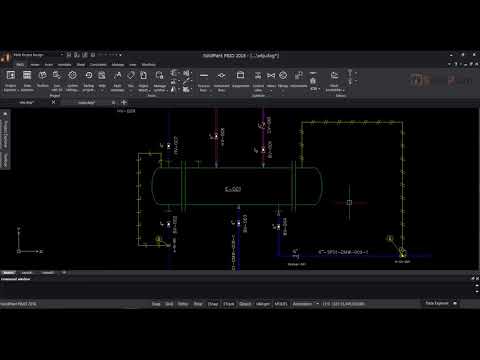
Built on top of SolidWorks, SolidPlant 3D is a sophisticated plant design solution from Dassault Systèmes. It contains a large set of manufacturer catalogs of pipe components, pumps, valves, gaskets, etc., that helps engineers and designers build detailed P&ID and 3D models for process plants. This tool is great for industries like oil & gas, chemical, and food processing. You can draw your P&ID first, then switch to a 3D view with just a few clicks. SolidPlant 3D saves time and reduces mistakes by helping teams plan, design, and work together easily. It’s a professional tool, best for those who already use SolidWorks.
It is particularly well-suited for mechanical-focused projects and design-build environments.
Key Features:
- Works inside SolidWorks
- Easy switch from 2D P&ID to 3D plant design
- Smart equipment and pipe library
- Good for big industries
- Helps teams work together
Pricing: Available on request
Which P&ID Tool is Best for You?
Choosing the right P&ID software depends on your needs:
- Want something easy and flexible? Try EdrawMax
- Need to work online with a team? Go for Lucidchart. It’s great for real-time collaboration and works in any browser.
- Are you a Windows user who likes CAD-style drawing? Try AutoCAD P&ID or SmartDraw.
- Need an advanced tool for industrial projects? Choose PROCAD P&ID
- Need detailed 3D piping layouts for plant design? SolidPlant 3D is a powerful tool that works inside SolidWorks.
Start Creating Accurate P&IDs Today
Choosing the best P&ID software isn’t just about checking off features – it’s about finding a tool that fits your workflow, aligns with your team’s expertise, and supports your long-term engineering goals. Whether you’re working on a small plant layout or a large-scale industrial project, the right software can help you minimize design errors, improve collaboration across teams, and boost overall efficiency.
Each tool we’ve covered has its own strengths – from easy drag-and-drop interfaces to advanced CAD integration and 3D modeling. Choose the one that matches your needs the best.
At Enginerio, we specialize in delivering high-quality, professional P&ID drafting and design services using industry-leading tools. Our expert drafters work closely with engineering teams worldwide to create accurate, standards-compliant P&ID diagrams that bring clarity to even the most complex systems and plant designs.
Start creating accurate, reliable, and future-ready P&IDs with Enginerio today – we are your trusted partner in process and plant design. Schedule a consultation to know our expertise and how we can streamline your projects quickly and cost-effectively.